Thursday, June 15, 2023

Bicep param files now available, upgrade to v0.18.4!


You might have seen my post a few days ago on Bicep parameter files. That was based on an experimental feature. Bicep version 0.18.4 is released now which, amongst other features and fixes, contains support for the new bicep parameter files!

Time to upgrade!

Besides the Bicep parameter files itself now being available, a couple of additional features are also included as part of it,

Similar functionality we’ve had before, decompiling ARM Templates into Bicep templates, is now also available parameters files. Simply right-click a parameters file based on JSON, and select Decompile into Bicepparams.

On a similar note, you can also select any Bicep template, right-click and select Generate Parameters File.

This option was there before, but you now have a new choice, generating bicepparam files!

Within the bicepparm file itself, you can now also use expressions using any functions in the sys namespace, for example we can use the uniqueString() function as shown below.

Bicepparam files are now also natively supported when deploying using Az CLI as well as PowerShell. For example, using Az CLI you can now pass bicepparm files as shown below.

As I mentioned in my previous post, having parameters files in ‘Bicep style’ was a very common request, and it’s great to now see it out there!

And finally, did you notice bicepparam files have their own icon? How cool is that!

Looking to get started with Bicep? I authored and published the book Getting started with Bicep: Infrastructure as code on Azure

Saturday, June 10, 2023

First glance at upcoming Bicep parameter files!


 It’s probably the most heard question whenever I provide a talk on Bicep and dive into deploying Bicep files and the options to provide parameters:

“Why is the parameters file you use while deploying a Bicep template to Azure still of type JSON?”

A very valid question, and this is about to change! Beyond all of the awesome extra capabilities that Bicep provides compared to ARM Templates (based on JSON), a big benefit of Bicep is also the simplified syntax. Compared to ARM Templates, Bicep templates are much easier to read, author, debug and digest.

But for the parameter files, you still need to revert to JSON. Today, the Bicep integration in VSCode and Visual Studio code provides options to generate a parameters files based on your Bicep files. Simply right click and select ‘Generate Parameters File’ as shown below.

The parameters file that is generated is of type JSON and looks like below. If you’ve worked with ARM templates in the past, this is the exact same parameters file we’re all used to.

This is about to change! We’re close to the release of an feature that introduces Bicep parameters files. These are not based on JSON anymore, have the extension .bicepparam, and provide the same clean syntax we all love about Bicep!

Today, the feature is still in experimental phase, so if you want to test it prior to release, make sure you allow the experimental feature ‘paramsFiles’ inside your bicepconfig file.

Let’s consider the following straightforward Bicep file which deploys an Azure Virtual Desktop host pool.

Below is what the corresponding .bicepparam file looks like.

Super clean, much less in terms of lines of code, and all of the complex syntax overhead is removed! I love it! Also note that a new keyword is introduced called ‘using’, here you specify the corresponding bicep template. As a result of that you also get the code completions and suggestions inside your .bicepparam files. For example when a parameter is missing inside your .bicepparam, the VSCode integration knows about this and you get the following error

And of course the Bicep language integration inside VSCode and Visual Studio code helps you fix this in no time!

Bicep parameters files are expected to become available soon as part of version 0.18! Once available I’ll share more details and options like for example the ability to generate a .bicepparam file from your Bicep file, VSCode deploy and much more!

Looking to get started with Bicep? I authored and published the book Getting started with Bicep: Infrastructure as code on Azure

p.s. I love the Microsoft AI Image creator, it created the header for this post in seconds!

Wednesday, May 24, 2023

Using Bicep Linter Rules to control allowed resource API versions


Linter rules are a very powerful feature of the Bicep Infrastructure as Code language for Azure. Based on Linter rules, you can check your Bicep templates for syntax errors and best practice violations. Complying with coding standards improves your overall Bicep template quality.

Linter rules were introduced in version 0.4. That already seems like ages ago, but I remember that release coming out as I was working on my Bicep book at the time.

3 weeks ago, Bicep version 0.17.1 was released. Amongst other features and improvements, this version also introduces a new linter rule update. MaxAgeInDays configuration is now added to be used with the use-recent-api-versions linter rule.

The property does what it says, the property MaxAgeInDays allows you to specify how old (how many days) an API version is allowed to be in order to be able to use it. This allows you to put restrictions on the maximum age of API versions in your code. It is always recommended to use the most recent API versions for your resource declarations, but sometimes you might need to allow older API versions, or you might want to enforce a certain API age.

Time to upgrade! The easiest way to upgrade is to run the following command:

az bicep upgrade

No alt text provided for this image

The sample below shows how to use the new property.

No alt text provided for this image

Simply add the maxAllowedAgeInDays property to your use-recent-api-versions linter rule and provide the number of days as an integer. The default value is 730 days, which is equal to 2 years.

Providing a 0 means the apiVersion must be the latest (non-preview) version, or the latest preview version if there are only previews versions available at that point in time.

Based on the level of the linter rule, a Bicep Template using an ‘oudated’ API version will now get a warning as shown below which still allows you to build the template.

No alt text provided for this image

Or an error as shown below, which prevents you from building the template.

No alt text provided for this image

The flexibility to be able to configure the allows API versions is a great asset in your Bicep toolbox!

p.s. Microsoft Bing Image Creator Powered by Dall-E created the header image by simply asking "Bicep combined with computer programming", how cool is that!?

Sunday, May 7, 2023

Azure Bicep public registry


One of the great benefits of Bicep Infrastructure is Code is reusing your code. Leveraging modules within Bicep is the perfect example of that. By using these features of Bicep, you can write reusable code that can be shared and used across multiple deployments. This can save time and effort and help ensure consistency across your Azure resources.

Some examples on how to reuse your code are:

- Parameters: Bicep allows you to parameterize your code so you can define parameters that can be passed in when the code is deployed. This makes it easy to reuse code with different configurations or environments. For example, you might define a parameter for the name of a Vnet, which can be passed in when the code is deployed in different environments.

- loops: Bicep allows you to use loops to create multiple instances of a resource. This is very useful when you need to create multiple resources with similar configurations. For example, you might use a loop to create multiple virtual machines

To me, the most useful example of reusability within Bicep in using Modules. Bicep allows you to create reusable modules that contain a definition of one or more Azure resources. You can define a module once and then reuse it in multiple Azure deployments. Modules can be stored in a separate Bicep file, which makes it easy to share them with others, for example by placing them in registries or template specs.

You might already be familiar with the concept of private registries based on Azure Container Registry (ACR) resources in Azure. You can store Bicep Modules inside in ACR and share those within your team, company, or to anyone who you provide access. To process to create an ACR and add your Bicep modules is very straight forward and explained here: Create private registry for Bicep module — Azure Resource Manager | Microsoft Learn.

But did you know that Microsoft is also continuously working on expanding modules inside their Public Registry? This Public Registry is based on Microsoft Container Registry (MCR).

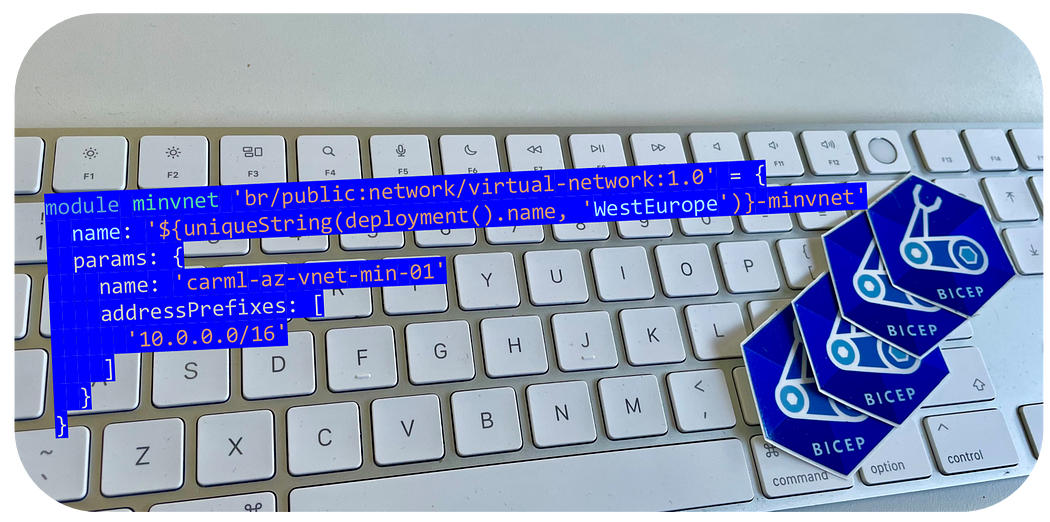
This is the new location where you can find all Bicep modules provided in the public registry

aka.ms/br-module-index

These are nicely ordered and easy to navigate:

aka.ms/br-module-index

Contributing to these modules is currently limited to Microsoft employees, but you can propose new modules or report bugs by opening an issue via GitHub.

Looking to get started with Bicep? I published a book on how to get started, which covers reusing your code and much more! Available on Amazon in Kindle, Paperback, and hard copy format!

https://www.amazon.com/Getting-started-Bicep-Infrastructure-Azure/dp/B098WK3MR7